GS1 Grader Usage Examples
This notebook demonstrates how to use the GS1 Grader API to grade Data Matrix codes.
[ ]:
from gs1grader.grader_api import DataMatrixGradeAPI

grader = DataMatrixGradeAPI()

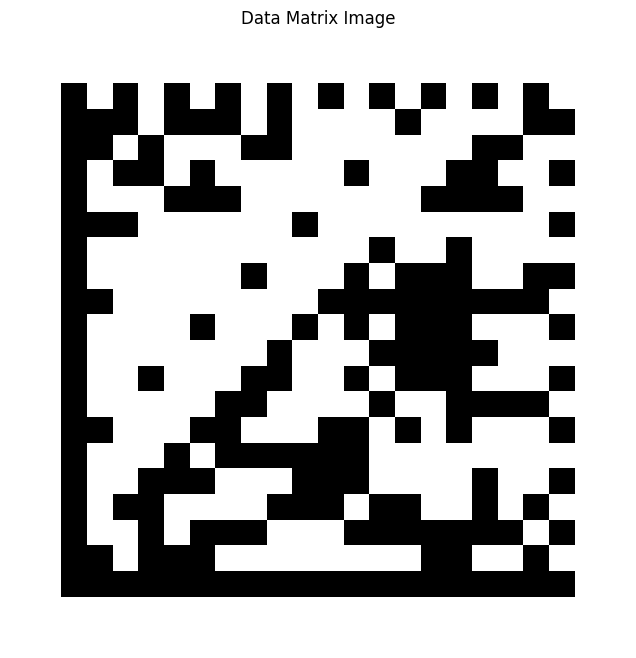
image_path = "./images/datamatrix_2d_original.png"

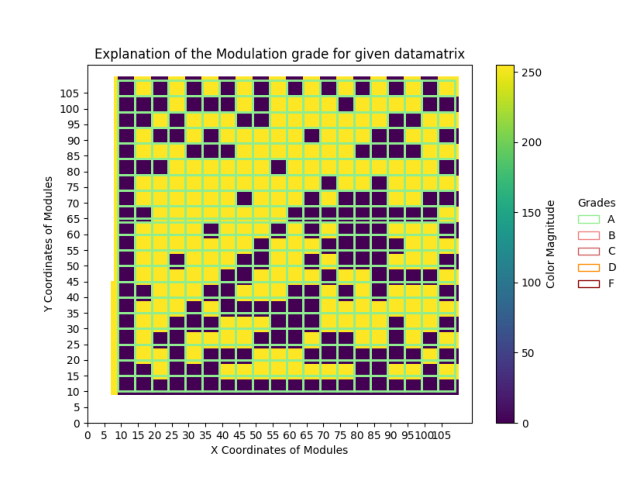
grade, explanation = grader.grade_datamatrix(image_path=image_path, grade_type="modulation", explanation_path="./grade_explanation")
[2]:
# Let's visualize the image we're grading
import cv2
import matplotlib.pyplot as plt

# Read the image
img = cv2.imread(image_path)

# Convert from BGR to RGB (OpenCV uses BGR by default, matplotlib uses RGB)
img_rgb = cv2.cvtColor(img, cv2.COLOR_BGR2RGB)

# Display the image
plt.figure(figsize=(8, 8))
plt.imshow(img_rgb)
plt.title('Data Matrix Image')
plt.axis('off')
plt.show()
[ ]:
grade
'A'
[4]:
exp_img = cv2.imread(f"{explanation}.png")

exp_img_rgb = cv2.cvtColor(exp_img, cv2.COLOR_BGR2RGB)

plt.figure(figsize=(8,8))
plt.imshow(exp_img_rgb)
plt.axis('off')
plt.show()